
SmartCadImport
Functions include:
Adv. CAD Import
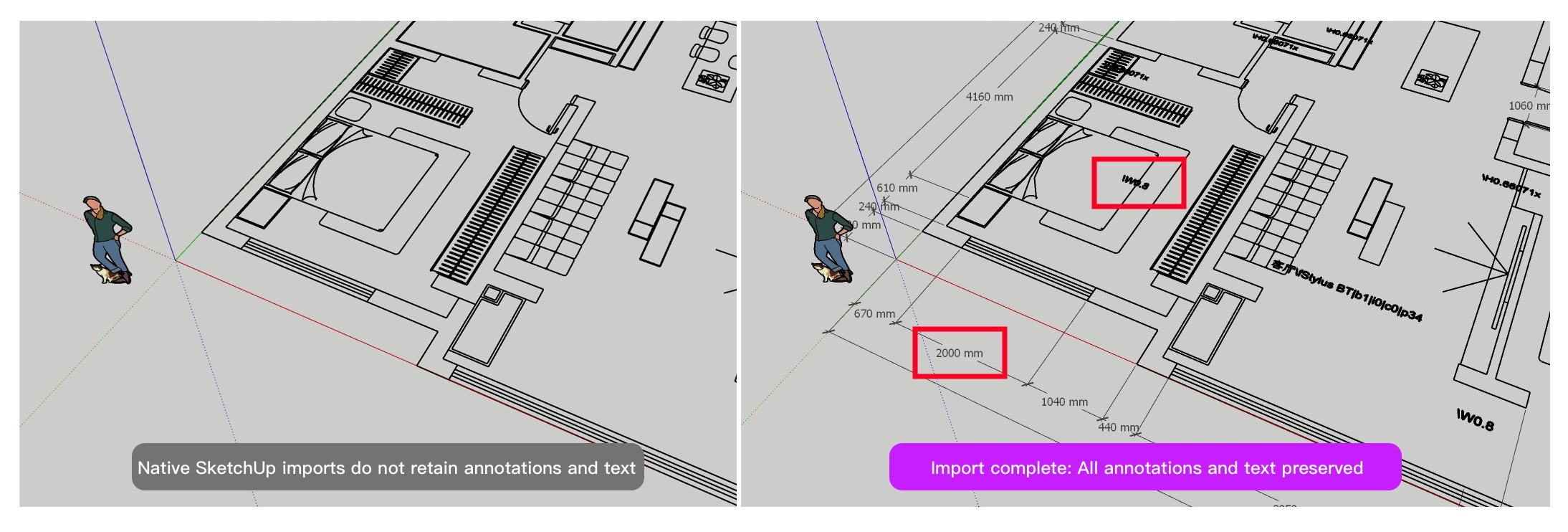
Always losing dimensions when importing CAD drawings into SketchUp? This plugin preserves them with one click.
Import the dimensions and text provided by the CAD software itself.
Flatten
When CAD drawings are brought into SketchUp, misaligned geometry is a common issue. With SmartCadImport’s Flatten tool, just select your drawing, activate the plugin, and instantly bring everything onto the same plane — all in one click. Fast, simple, and effective.
Smart Face
For imported CAD drawings, create faces instantly with one click—eliminating the need to explode CAD files in traditional workflows. Faster and more efficient.
Quick Wall
Quick Wall – Create and group walls instantly with just one click. Walls are automatically extruded, neatly organized, and kept completely independent from imported files, giving you a clean, intuitive workflow and making future project management effortless.
Smart Wall
 Turn CAD drawings into 3D walls instantly! With the Smart Wall tool, just set your preferred wall thickness range and generate accurate 3D wall models in seconds — dramatically speeding up your design process and boosting productivity.
Floor Modeling
Create slabs automatically in just one click! With the Floor Modeling tool, simply select a closed surface, enter the floor-to-floor height and slab thickness, and instantly generate both upper and lower slabs — skipping tedious steps and making your modeling workflow faster and easier.
